


Computer vision for manufacturing
In manufacturing, small blind spots can lead to downtime, waste, or missed quality issues. That’s why more leaders turn to computer vision in the manufacturing industry to automate inspections, streamline operations, and gain real-time control across the floor.
With decades of experience, dozens of successful applications, and specialists deeply versed in AI, we’ve gathered everything you need to navigate technology, address challenges, and build your solution with complete peace of mind.
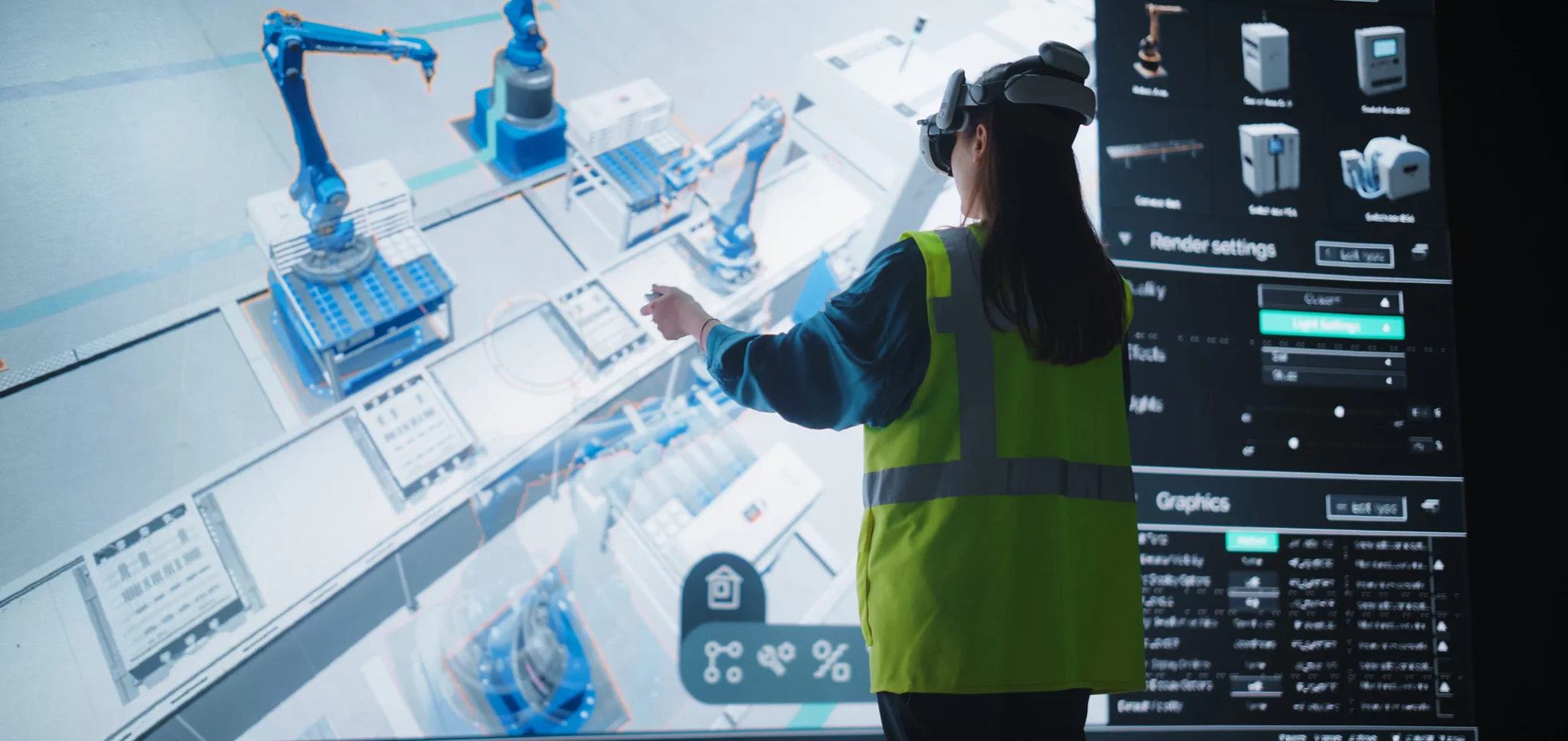
Why manufacturers turn to computer vision
Some manufacturing challenges can’t be solved by simply adding more people. Spotting a hairline crack on a fast-moving conveyor, measuring bulk raw materials, or verifying the precision of micro-assemblies all demand accuracy that no human can sustain at scale.
At a certain point, computer vision becomes the most practical and cost-efficient way to enhance production. When thoughtfully built, these systems deliver automation and speed that thrive even in the harshest environments, detect the smallest deviations, and run reliably around the clock.
Does computer vision really deliver?
Amid loud discussions about the potential impact of AI in manufacturing, its computer vision subset continues to prove its value in practical, day-to-day use.
Industry evidence
- Computer vision-based visual inspection can improve defect detection rates by up to 90 percent as compared to human inspection, according to a McKinsey survey.
- Saving $1M annually per production line, inspecting 200 images in 0.8 seconds with 99.9 percent accuracy: these are real-world results of LG’s Virtual Inspection AI.
- Saving 1 hour of team member time per line daily, adding up to 15,000 hours of skilled labor saved annually per plant: this is the result of Tyson Foods’ vision-based anomaly detection system performing with 99.1 percent accuracy.
- Defect inspection of 24 assembly components simultaneously instead of one-by-one inspection: Hitachi’s innovative 5G-powered computer vision system does this. Add to this the technology’s smooth scalability to 140 manufacturing sites worldwide.
Impact across Vention’s engagements
We contribute to innovation by creating computer vision systems that help reduce image processing from weeks to 15–20 minutes, as demonstrated by our solution for Vexcel Imaging.
Another gain from our clients' experience is the ability to speed up and scale the process. For example, we developed a custom AI-powered car damage detection system for motum, enabling them to efficiently manage over 8,000 vehicles and tens of thousands of claims.
See what you can do to increase efficiency across your production lines.
How do computer vision systems work?
Camera lenses, the right algorithms, and carefully designed workflows make up the foundation of every computer vision solution. The concept may resemble human vision in name, but in practice, it’s built on advanced mathematical and engineering principles that deliver accuracy and insight far beyond what the human eye can achieve. In manufacturing, this means catching defects early, watching production in real time, and keeping quality consistent across every product.
Let’s take a closer look at how it all comes together.
Image capture
The system begins by capturing images. In manufacturing, this is done using high-speed 2D or 3D cameras. They are often mounted above conveyor belts to watch products as they move or attached to robotic arms for close-up views. Images can be processed right away or stored for later use, such as analysis, training, or quality reviews.
Image normalization
Different angles, inconsistent lighting, and a lack of contrast may negatively impact the system’s performance, but this is the reality of a production floor. Image processing pipelines are designed to maintain consistently high image quality and facilitate further image analysis. In production settings, normalization can correct glare from metal parts, align objects rotated on the belt, or enhance contrast to expose tiny defects.
Image analysis
To the system, an image is a grid of pixels. Deep learning algorithms scan this data to identify specific patterns such as weld seams, drill holes, or serial numbers. What happens next depends on the task at hand. Based on the defined patterns, the system can:
- Detect the object: identify where the item is located in the image and whether anything is missing, misaligned, or flawed.
- Attribute it to a pre-defined category, for instance, distinguishing between Part A and Part B, or a high-quality component and a defective one.
Decision-making
Computer vision software reacts to what it “sees” according to its programmed logic. It can trigger alerts for human operators or maintenance teams when an issue is detected or send automated commands to robotic arms to remove or redirect items from the conveyor. Every action happens instantly, keeping operations steady and ensuring that quality control runs seamlessly in the background.
Hear from our expert
Detection accuracy depends heavily on the quality and diversity of the training data. With the rise of generative AI, it's now possible to improve that accuracy even further.
Generative models can be used to create large volumes of synthetic images when real-world datasets are limited or unbalanced. They are especially valuable for generating rare scenarios, helping train models to recognize conditions that might otherwise go undetected.”

Yauheni Suvitau
AI Engineer
Fundamental computer vision tasks
Computer vision can perform a wide range of tasks, but at their core, nearly all of them fall into one of five fundamental categories:
- Presence/absence: The availability of a specific object, feature, or component.
- Anomaly detection: Deviation from the norm, like a scratch, a distorted screw, or a missing label.
- Object tracking: The movement of particular items to verify their flow and positioning.
- Dimension control: The item’s measurements, like diameter, height, width, and length.
- Optical character recognition: The ability to read barcodes, packages, and other text information.
Typically, companies use a combination of computer vision techniques. Take a common example from the pharmaceutical industry: a computer vision system verifies the width, height, and shape of the tablets (dimension control) to confirm dosage accuracy. Even minor deviations in dimensions could signal improper compression or formulation issues, so pills that fall outside tolerance are flagged (anomaly detection) and removed before packaging (object tracking scenario).
Computer vision for each manufacturing stage
Computer vision supports every stage of the manufacturing lifecycle. Explore how it adds practical value from design to delivery.
Product design and prototyping
- Validate dimensions and measurements in CAD models
- Spot deviations between CAD models and 3D prototypes
- Analyze user reactions and ergonomics during prototype testing
Material inspection
- Know about surface defects like scratches, corrosion, or fiber breaks before raw materials enter the production cycle
- Verify consistency with the color or design pattern
- Measure dimensions, even for continuous bulk commodities like film, textile, and coils, and granular materials with uniform shape like lumber and bricks
- Make sure raw materials are free from contaminants, foreign objects, or substances
Component assembly
- Monitor the assembly process in real time
- Identify defects, wrong placements, and deviations from the CAD
- Use robotic arms that function and adjust to real-time conditions instead of performing pre-programmed moves
- Verify the assembly is in line with standards
Packaging and labeling
- Verify the labels are available, correctly positioned, and contain all the needed and relevant information, including a correct batch number and expiry dates
- Check if all the needed components, like instructions, use manuals, and spare parts, are put in the package
- Check the package’s integrity
- Sort the packages automatically based on their size, type, and intended region
Computer vision for operational support
Preventive maintenance
Detect early warning signs like leaks, rust, or deformation before they cause equipment breakdowns or compromise quality. Computer vision can also analyze vibration and temperature data, helping identify hidden wear or overheating long before it escalates.
Workplace safety monitoring
Ensure your employees wear personal protective equipment or don’t enter restricted areas without permission. Face recognition and badge reading will help perform this task efficiently and at scale, with real-time alerts in case of non-compliance. Or even pass the job in a hazardous environment, like excessive heat or chemical exposure, to robotic arms.
Surveillance
Identify unauthorized access or atypical behavior with fewer false positives. Computer vision distinguishes between human and machine movement, recognizes employees, and automatically generates searchable logs (for instance, tracking who entered a specific zone at a particular time).
Supply chain
Verify package completeness, monitor loading and unloading operations, track barcodes, and count quantities. Computer vision in supply chain brings real-time visibility and control, helping manufacturers reduce errors, speed up logistics, and ensure traceability at every step.
Industry-specific computer vision use cases
Pharmaceuticals
- Reduced risk of batch recalls thanks to enhanced quality control. You can automatically verify package completeness, along with dozens of parameters such as dosage, dimensions, color, and liquid density.
- Facilitated compliance through improved traceability and automated validation of batch numbers, expiration dates, and packaging accuracy.
- Reliable, inspection-ready documentation to support audit readiness.
Automotive
- Optimized production workflows, beginning at the design stage with automated validation of CAD models and prototypes. On the line, computer vision continuously monitors component quality and halts progression the moment a defect is detected.
- Fewer reworks and recalls thanks to computer vision-based quality inspection of raw materials, weld analysis of parts on conveyor belts, and finish analysis.
- Streamlined inspection for multi-model lines using barcode and VIN recognition, enabling inspection workflows tailored to each vehicle’s exact specifications.
Electronics
- Full-speed and high-precision inspection: Tiny and complex components (chips, circuit boards, and other electronic assemblies) require significant time, effort, and specialized tools for manual inspection. While human workers can detect obvious defects, subtle or hidden issues often go unnoticed. Computer vision inspects these parts in seconds with high precision and consistent results across many product types.
- Improved traceability: The system can read serialized parts, item IDs, and lot numbers, and log each inspection and every step in the manufacturing cycle, from raw materials analysis to dispatch and transportation.
- Greater trust in your brand: A strong focus on quality control naturally leads to safer products and higher customer satisfaction, which, in turn, boosts brand strength while reducing returns and warranty claims.
Food manufacturing
- Increased food safety: Computer vision can help you identify early signs of spoilage and signal the presence of foreign materials.
- Keeping high product standards: From precise portion sizing to accurate fill levels, computer vision ensures uniformity across every batch, protecting brand integrity without slowing production.
- Keeping customers informed: Providing correct packages with relevant expiry dates and allergen components is not a whim but a necessity. Computer vision checks all this for you.
What influences computer vision implementation cost
Ideally, a clear price tag would make planning easier. In reality, the cost of implementing a computer vision system varies widely depending on the specifics of each project. For an accurate estimate, it’s best to reach out and share key details so we can prepare a tailored cost breakdown for your scenario.
To give you a head start, we share the main cost-influencing factors in industrial computer vision projects:
- Hardware: Industrial-grade cameras, lighting systems, and edge devices represent a significant upfront investment. The costs scale with the number of production or assembly lines.
- Solution complexity: The number of use cases, product variations (SKUs), inspection points, and required model types (e.g., defect detection, counting, classification) will directly impact the development scope and time.
- Real-time processing: If your use case demands real-time or near-real-time analysis, you'll need higher-performance edge hardware and optimized software pipelines, which adds to both complexity and cost.
- Integration effort: The more systems involved and the more custom those integrations are, the greater the investment required.
Challenges you may face in computer vision adoption
Context | Challenge | Solutions | |
|---|---|---|---|
01 | Computer vision in manufacturing relies on AI models. To perform accurately, the models must be trained. For anomaly detection, the training process is about feeding the system with images labelled as either “normal” or “anomaly”. The system gradually learns to identify the visual cues that indicate each condition, enabling it to classify new, unlabeled images on its own. | You need a large, diverse set of high-quality images, each accurately labeled. But what if the available dataset is too small, or the image quality doesn’t meet the standard? | Data augmentation (with techniques like image rotation, flipping, and resizing) helps generate multiple new images from a single image. For correct data labelling, our project managers have proven processes for collaborating with subject matter experts. To ensure image quality, we apply normalization techniques like contrast enhancement and brightness correction. |
02 | For computer vision tasks in manufacturing, capturing a high-quality image is just the beginning. The system must also analyze the image, make a decision, and often trigger a response, e.g., activating a robotic arm to remove the defective part from the belt. All of this must happen in real time without slowing production. | Maintaining accuracy when parts are moving fast and every millisecond counts is no small task. Delays or missed frames can result in defective products slipping through or false rejects that interrupt workflow and reduce efficiency. | To capture sharp images of fast-moving products, use high-speed, high-frame-rate cameras and optimize lighting conditions. For image processing, you need edge devices and well-established pipelines to handle and analyze real-time data flows. The final step is seamless integration of computer vision with downstream systems such as PLCs or robotic arms. |
03 | Your product line likely includes dozens or even hundreds of SKUs, each with its own parts, dimensions, materials, and tolerances. Over time, even a single item may undergo minor design changes, material updates, or supplier-driven adjustments. | Good news: A robust computer vision system will recognize the entire product diversity, even when minor differences might be completely acceptable in one SKU but a defect in another. Bad news: That requires effort. | Train AI models on comprehensive datasets that include all known variations in shape, size, and surface finish. Use classification or multi-model logic to first recognize the specific product or part and then apply relevant inspection criteria. Consider using adaptive algorithms that can tolerate natural variations, while still catching true defects. |
04 | Heat, dust, vibration, moisture, and constant mechanical movement are common in manufacturing environments. At first glance, that may seem incompatible with sophisticated camera systems often viewed as fragile or sensitive. | Dust can cloud the lens, vibration can blur the image, and prolonged exposure to harsh conditions can shorten the equipment's lifespan. | Choose industrial-grade cameras. They are designed specifically for harsh environments and are dustproof, vibration-resistant, and temperature-tolerant. While this type of equipment may cost more, the reliability and longevity it delivers more than justify the investment. |
Important integrations to consider
Building computer vision software correctly is essential, but it’s only part of the success story. For a system to perform effectively in a real production environment, several key integrations must work seamlessly together, including:
- Industrial-grade cameras: 2D and 3D vision systems synchronized with the conveyor speed.
- Edge devices: Powerful on-site computers designed for manufacturing environments. They process high-volume AI workloads within milliseconds, ensuring rapid analysis and avoiding network delays.
- Manufacturing execution system (MES): To establish connections between computer vision inspections and batch numbers, operators, timestamps, and production logs.
- Programmable logic controller (PLC): PLCs are your connection to the physical world. Once the vision system makes a decision, the PLC triggers real-world actions, like activating a reject arm or stopping the conveyor.
- Human-machine interface: To interact with the computer vision system or review the inspection results and alerts it has produced.
Industrial computer vision implementation checklist
Planning to implement industrial computer vision with your internal team or trusted development partner? Each project has its own specifics, but the steps below provide a reliable framework to help you stay in control and on track from concept to deployment.
Define use case and performance goals
You can start with a high-level idea. But to move forward with confidence, it’s important to define clear expectations for what the system should deliver, which means taking a close look at your current manufacturing processes and your longer-term business goals.
Here are the key questions to guide this phase:
- What are high-value use cases we can implement? Defect detection, assembly verification, visual inspection, or something else?
- Which use cases are high-priority, and which ones are long-term initiatives?
- What performance goals should the system meet in terms of accuracy and processing speed?
- Do we need a real-time component for in-line quality control or decision-making?
- What non-functional requirements are critical, e.g., security, scalability, or maintainability?
Sign off architecture and tech stack design
Formalize the architecture and technical blueprint of your computer vision solution. You need a clear diagram that outlines high-level components, the workflows between them, the recommended technology stack for each layer, and how everything integrates with your existing manufacturing systems.
A typical computer vision system in a manufacturing environment includes the following core components:
- Cameras or sensors
- Edge devices for on-site image processing
- Data pipelines and storage for collecting, routing, and archiving image data
- Model inference to support the computer vision models running under the hood
- Integrating the existing industrial IT environment and critical systems
- Monitoring layer to trace the performance of the CV model and receive alerts sent by the system
Oversee critical implementation checkpoints
The complexity of smart manufacturing solutions calls for multiple deliberate decisions and thorough verifications, the critical ones being:
- Optimal hardware and lighting setup
- CV model training on high-quality data and training results verification against the predefined performance goals
- Security mechanisms, including secure camera interfaces, data encryption, and protection against edge tempering
- Data backup mechanisms for images, logs, and model versions
- Recovery scenarios if a camera goes offline, an edge device crashes, or a model misfires.
- User interface, convenient and tailored to the needs of quality engineers, maintenance teams, plant operators, or any other target user groups
- Logging of the system’s health status, decisions, and errors
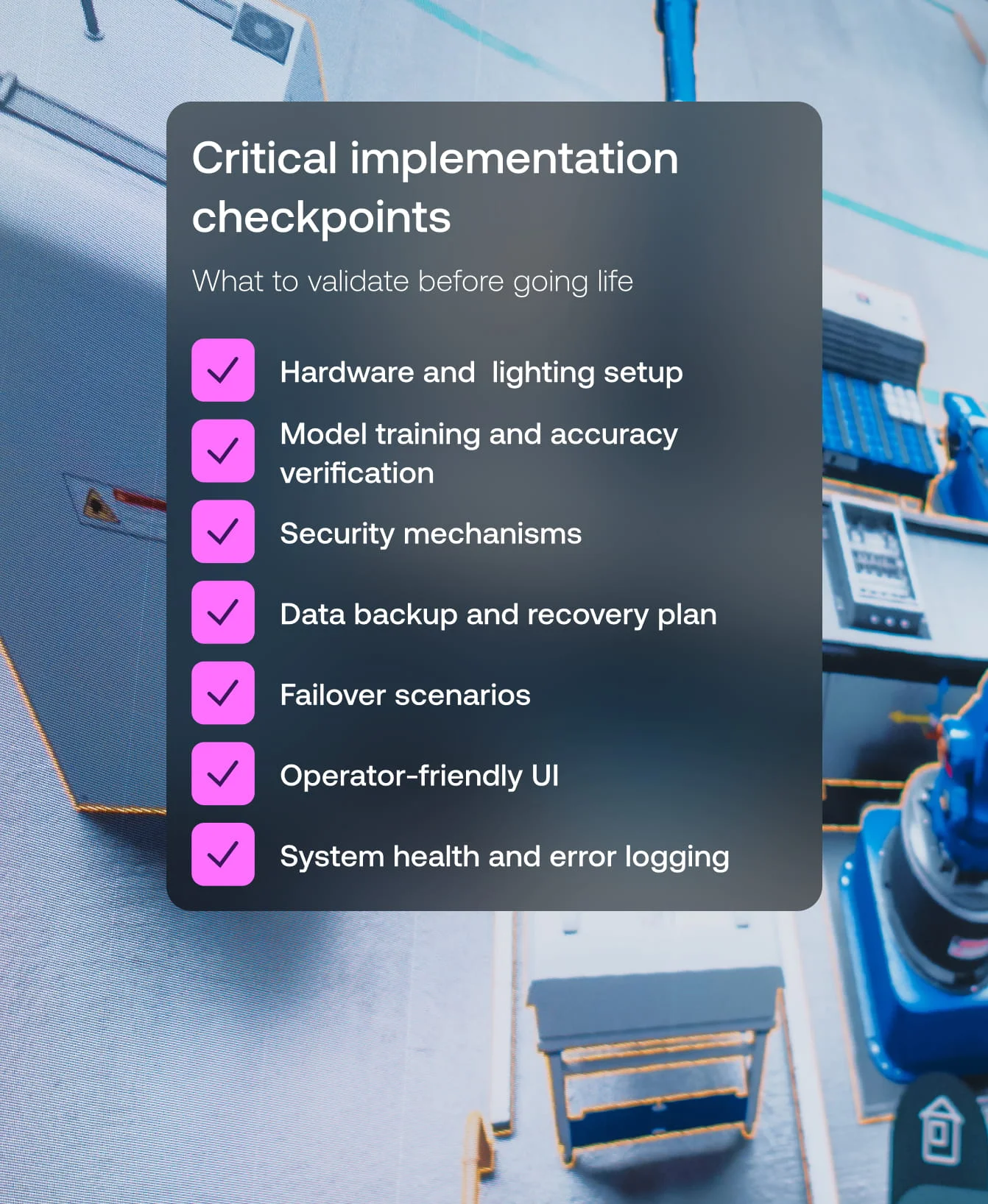
Implementation checkpoints
A successful launch starts with thorough validation. Here’s what to double-check before releasing your computer vision system into production.
Need proven expertise? This is how Vention can help
It’s completely normal to second-guess when launching something new. Our computer vision experts will examine your current setup, goals, and concerns, and provide clear, actionable answers to all the questions that concern you.
Here’s what clients usually want to know, but if something specific is on your mind, we’ll be happy to address it, too. Our discovery process is built to ensure a confident start and long-term success.
- What use case should we build first?
- Is it even feasible in our environment?
- Are we ready in terms of processes and hardware?
- How much will it cost?
- What’s the expected return on investment?
If you need expert guidance to implement or optimize computer vision systems, Vention steps in with targeted, practical advice. We're here to pass our knowledge, e.g., when you’re navigating the available computer vision frameworks or setting up MLOps.
Our consulting services often focus on:
- Selecting and integrating the right hardware and vision components for your environment
- Designing scalable and secure system architectures
- Advising on the best frameworks and model deployment strategies
- Embedding computer vision into your broader manufacturing automation stack
Consulting is also a smart move if you simply need a second opinion about any aspect of computer vision development, whether it's about validating architecture choices, reviewing model training workflows, or integrating security throughout the development cycle.
Custom solution development
From a minimum viable product (MVP) to full-scale solution development, Vention supports you every step of the way, building high-quality computer vision solutions and reliable integrations.
Whether you prefer a project-based approach or staff augmentation, we adapt to your preferred model while maintaining our non-negotiable peace of mind guarantee. Whichever path you choose, we bring technical excellence and transparent collaboration.
With a typical kickoff within two weeks, we move fast, giving you early access to real results and long-term value, without compromising quality.
What computer vision development covers:
- Customizing and training AI models for task-specific needs like anomaly detection, object tracking, or dimension control.
- Designing data pipelines for data ingestion, preprocessing, model training, deployment, and monitoring.
- Integrating computer vision systems with existing hardware and software.
- Setting up a cloud environment and edge computing aligned with performance and reliability goals.
- Monitoring and post-deployment tuning to maintain accuracy as environments and inputs evolve.
Support and evolution
Striving to make your one-year-old (or older) computer vision solution perform as fast and reliably as it did on day one? Vention experts help you sustain and enhance system performance with structured, proactive support.
- Setting up and configuring monitoring tools to track system health, identify performance drifts, and conduct root cause analysis of false positives and false negatives.
- Pinpointing the issues (a drop in model accuracy or changes in production conditions) and implementing improvements fast.
- Building automated AI model retraining pipelines to ensure your computer vision system evolves with your data, adapts to new scenarios, and continues delivering reliable results over time.

Ready to explore what computer vision can do for your operations?
Let’s discuss your goals, assess the fit, and map out the best path forward.
Partner with Vention to bring computer vision to the factory floor
- 20+ years of experience in custom software development
- 150+ AI projects delivered
- 100+ AI professionals
- Dedicated AI Center of Excellence that nurtures our engineers on the latest tools so your projects benefit from smarter solutions and lasting impact
- Peace of Mind Promise: a written commitment built around fast kickoff, frictionless scaling, dedicated advocates for your project, and signature assessments that keep every result under control
- ISO 27001-certified for adherence with globally recognized security practices
- Project delivery and technical excellence confirmed by partnerships with AWS, Microsoft, and Google
- Repeatedly recognized for growth and innovation by Financial Times, Inc. 5000, IAOP Outsourcing 100
Hear from our expert
We’re an AI development company with deep expertise. At the same time, the pace of change is fast, and new ideas emerge almost every day. In an environment like that, it becomes important to sort through ideas carefully, test them early, and scale only the ones that prove useful in real work.
A structured, evidence-based approach allows us to focus on real opportunities while keeping risks under control.
That’s the idea behind our AI group, a cross-functional team of more than 20 experts from across the company, led by our CTO. The group focuses on formalizing how we use AI and sharing proven practices that create lasting impact."
Yauheni Suvitau
AI Engineer
FAQs
What hardware is required for computer vision in manufacturing? Can you recommend the best fitting models?
- Industrial multi-angle cameras to capture images and edge devices to process them.
- Edge devices (if you need your system to support real-time)
- Connectivity hardware for camera-to-device communication
- Lighting systems
And yes, Vention can help you define the hardware that will support your computer vision needs.
Can I start with a small pilot project?
Absolutely. This approach is reasonable and widely used. You can introduce the new technology smoothly, check how it fits, and get value and user feedback early.
For example, you can start with defect detection on a single production line and, once the model proves its value, scale to multiple lines.
Similarly, you can start by verifying the correct packaging for one SKU and then expand the range.
How long does it take to deploy computer vision for manufacturing?
The duration depends on the system’s scope and complexity. For pilot projects such as defect detection on a single product line and packaging verification, implementation typically takes about eight weeks.
How are data security and privacy handled in these systems?
The three pillars of data security for applications of computer vision in manufacturing:
- Cameras with encrypted interfaces
- Image processing on edge devices (which means on-site, without data transfer to cloud services or external servers)
- Data encryption